Your first steering report in 15 minutes
In this tutorial you start a local Casebox, import the agent sessions already on your machine, and read the steering report: how often people correct their agents, where, and why.
You need Docker, git, a repository you work in with Claude Code, Codex or the Cursor CLI, and a key for an analysis model (Anthropic, or any OpenAI-compatible API).
1. Start Casebox
Section titled “1. Start Casebox”casebox upcasebox up starts the server, QueueBox and Postgres in Docker and waits until they answer. It prints the URL and the admin password. Open http://localhost:8080 and log in.
To see every page with a synthetic team first, run casebox up --demo instead.
2. Enrol the repository
Section titled “2. Enrol the repository”In the repository:
casebox initinit explains each step in one line. It logs you in through the browser and asks the team’s prompt mode: off, redacted or full. Choose redacted unless your team decided otherwise; choose a prompt mode says what each one keeps. It connects GitHub and Jira when you give tokens, installs the hooks, and writes .casebox/casebox.yml. Commit that file.
3. Import your history
Section titled “3. Import your history”casebox import --days 30The import reads the session logs of Claude Code, Codex and the Cursor CLI for this repository. It removes secrets and marks identities on your machine, then uploads. The server replaces every identity with a pseudonymous token before it stores anything.
4. Start a worker
Section titled “4. Start a worker”Classification needs a model. Start a worker with your analysis model:
export CASEBOX_WORKER_TOKEN=$(casebox token create --kind worker --name "my laptop")export CASEBOX_ANALYSIS_PROVIDER=anthropic CASEBOX_ANALYSIS_MODEL=<model id> ANTHROPIC_API_KEY=<key>casebox workerThe worker labels each intervention: correction, direction, clarification or routine. For corrections it also labels what went wrong and what prevents it next time.
5. Read the report
Section titled “5. Read the report”Open Overview. The report shows:
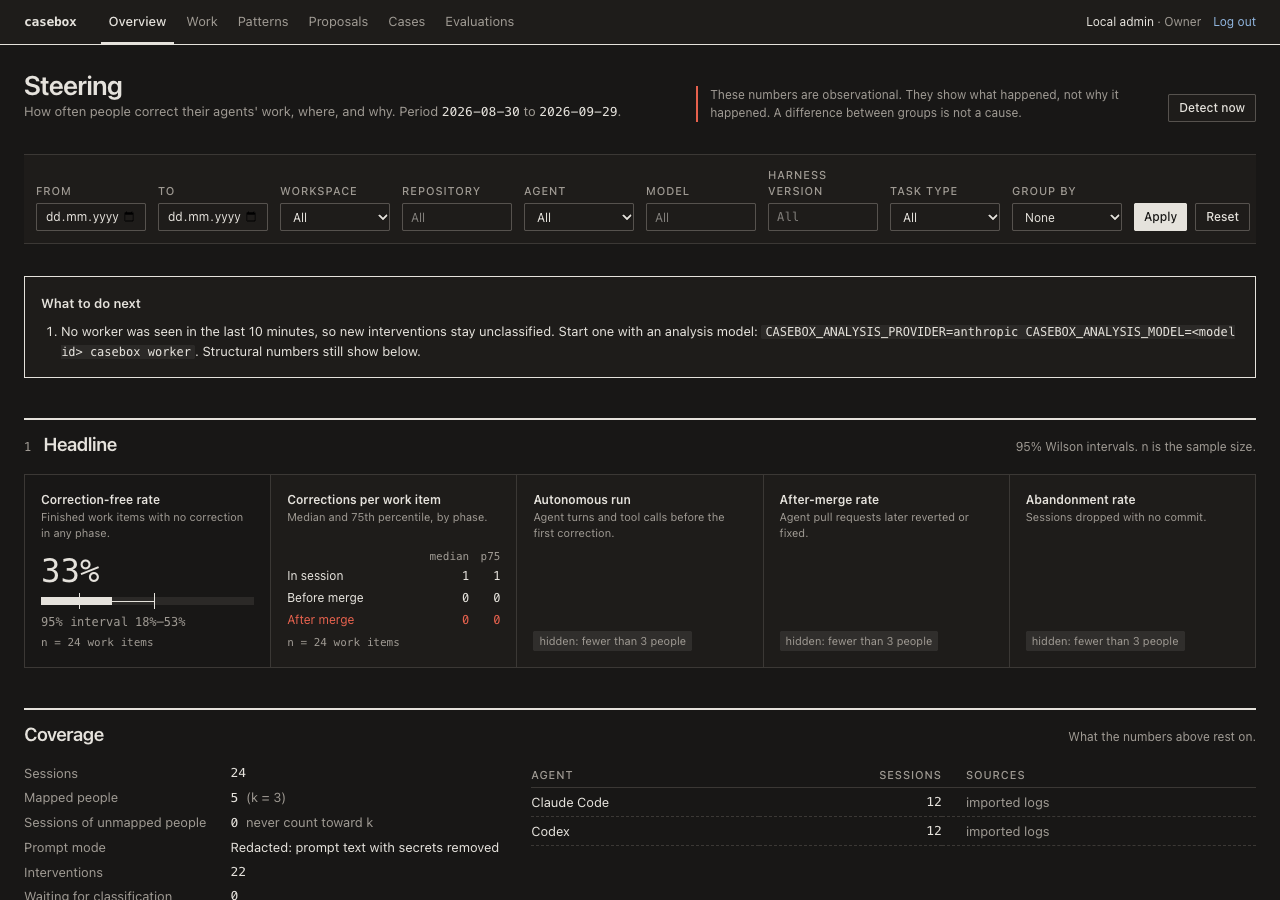
- The headline: the correction-free rate of finished work items, corrections per work item, and the after-merge rate, each with its sample size.
- The top correction themes, each with a count, the number of people, and up to three quotes without authors.
- The prevention mix: which share of corrections a harness change could prevent, and which share needs a clearer ticket or a stronger model.
A theme shows only when at least 3 people are behind it. Ask your teammates to run casebox join in the repository: their history fills the report.
- Your first comparison: test whether your harness earns its tokens.
- How steering is measured.