Your first comparison
In this tutorial you mine cases from your repository’s history, approve them, and run your first evaluation: your harness against no harness. You see the cost before anything runs.
You need the setup of your first steering report, a worker host with Docker, and a model key for the agent you evaluate.
1. Build and confirm the environment
Section titled “1. Build and confirm the environment”casebox env checkenv check builds the environment recipe in casebox.yml and runs your tests at HEAD in a sandbox. It reports what passed, failed or timed out. When the result is right:
casebox env confirmA person confirms each recipe, because automated setup often fails. See write an environment recipe.
2. Mine and review cases
Section titled “2. Mine and review cases”casebox mine --waitcasebox reviewMining finds merged pull requests with tests, reverts with their fixes, and corrected sessions. A worker validates each case: the tests must fail at the base commit and pass three times out of three with the merged change. casebox review shows each case’s instruction and tests and asks you to approve, edit or reject it. Approve at least 10.
3. Set the baseline and the prices
Section titled “3. Set the baseline and the prices”Add the agent you use and its price to casebox.yml:
evaluation: baseline: { agent: claude-code, agent_version: 2.1.284, model: claude-sonnet-5-20260801 }prices: claude-sonnet-5-20260801: { input: 3, output: 15, cache_read: 0.3 }Prices are USD per million tokens, from your contract. There is no live price lookup.
4. Run the comparison
Section titled “4. Run the comparison”The worker needs the agent’s model key, such as ANTHROPIC_API_KEY. Then:
casebox compare --candidate harness=nonecompare prints the estimate first: the number of runs, tokens and cost for each side, sandbox time, and the smallest difference this size can detect. It asks before it starts. It then follows each round and prints the verdict.
5. Read the verdict
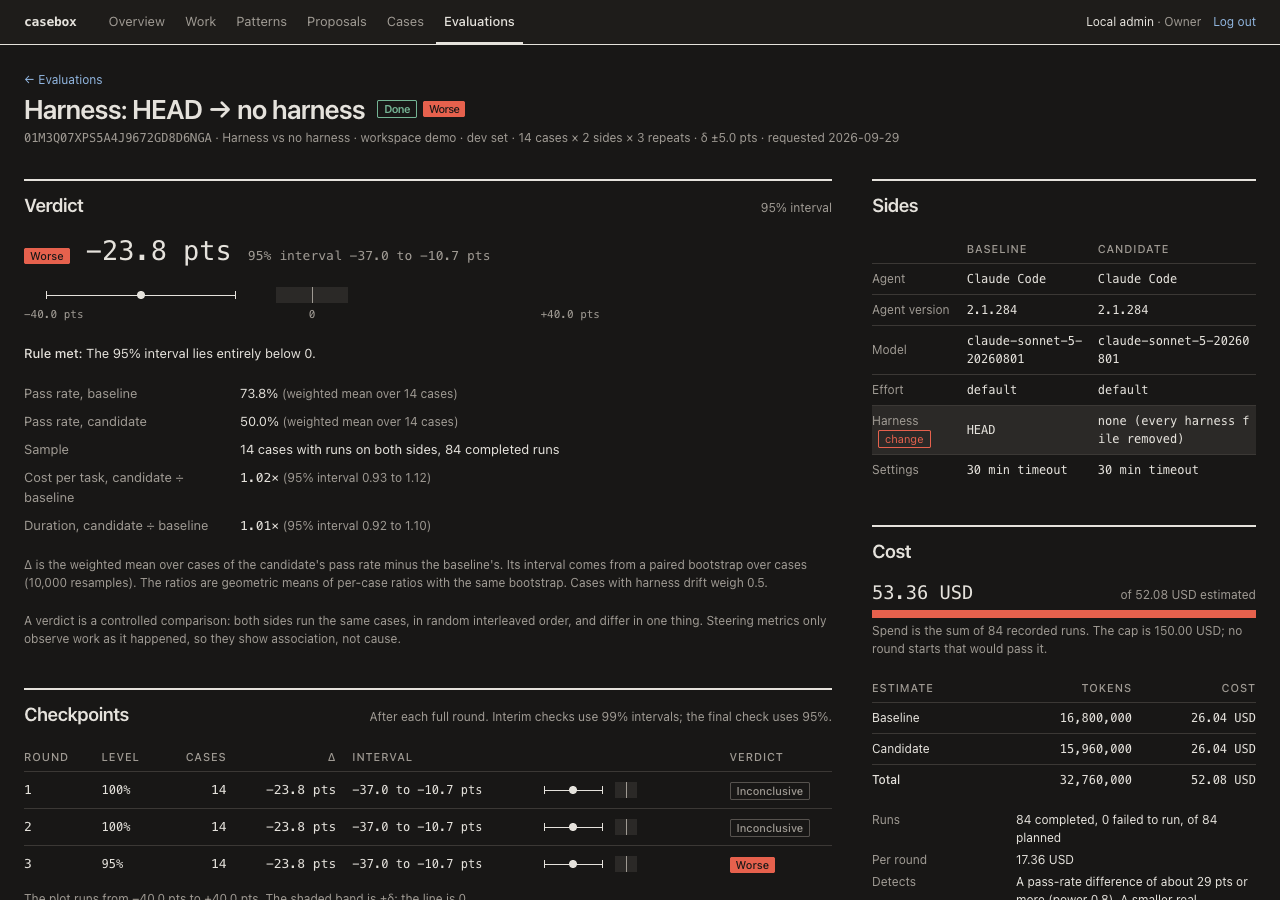
Section titled “5. Read the verdict”The verdict is better, worse, equivalent or inconclusive, with the difference in pass rate, its interval and the sample size. Here the candidate is “no harness”: worse means your harness earns its tokens. Inconclusive means the interval does not settle it at this size; the estimate said which difference the run could detect.
The Evaluations page shows the same verdict, each case’s pass rates, and every run’s tests, usage and trace. How verdicts work explains the rules.
- Harness CI on a repository: test every change to the harness before it merges.